


5 May 2011 update: The same symptoms and solution apply to DELL W3201C, DELL W5001C and DELL W4201C!
You will benefit from doing it even if the actual problem with the TV turns out to be different (which is always possible).
If you can't do this on your own you can send the power board to Coppell TV Repair and we will do it for you for a very reasonable fee.
(or you can send it to one of the other technicians who read this blog, educate themselves and start offering the same service; we can name a few.)
Anyway, let us start with saying that the DELL W4201C is a Samsung plasma TV sold under the DELL brand.
It features the infamous trio of 1) Y sustain board LJ92-01200A / LJ41-02759A and the related two buffer boards 2) LJ41-02760A / LJ92-01202 and 3) LJ41-02761A / LJ92-01203.
This trio on its own is a source of a bunch of problems that I had touched on in previous posts and will soon summarize and expand in a new larger post.
All TVs (and there are quite a few of them) using the same trio exhibit the same symptoms, regardless of their brand. Again, that is discussed separately.
This post focuses on a specific problem commonly observed in DELL W4210C HD plasma TV and other TVs that use the same power board, specifically the PSPF651B01A / LJ44-00110A.
Symptom: Upon powering on the TV you can hear the power board starting to work, but screen never comes up. TV may stay on or turn itself off after a short while.
Note: This symptom is very similar to the one exhibited by a dead buffer/sustain board depending on how did they burn (which can't be predicted). It is very important for you to understand that what's described here may be not what you're looking for. But it's sure very common and if it hasn't happened to your TV it will sure happen!
If your TV has been showing pink/red horizontal lines prior to dying, on parts of the screen or on the whole screen, then this post is likely not for you (even though you may still benefit from reading it).
Solution: The power board of the W3201C HD has 2 electrolytic caps that are under-rated and tend to cause problems with the basic power supply needed by the main board. When they dry too much the main board just fails to operate normally and the TV, upon initial power-on hangs in an undefined state where pretty much the only thing you can do is power it back off. Sometimes it powers off by itself after you wait enough.
To get to there you need to lay the TV down on the ground, remove its pedestal / stand and then unscrew all the bolts that hold the back cover to the main chassis. There are two types of such bolts and there are a lot of them. Other than their quantity, though, it shouldn't be hard to do it.
Here is what you will see after you remove the back cover:
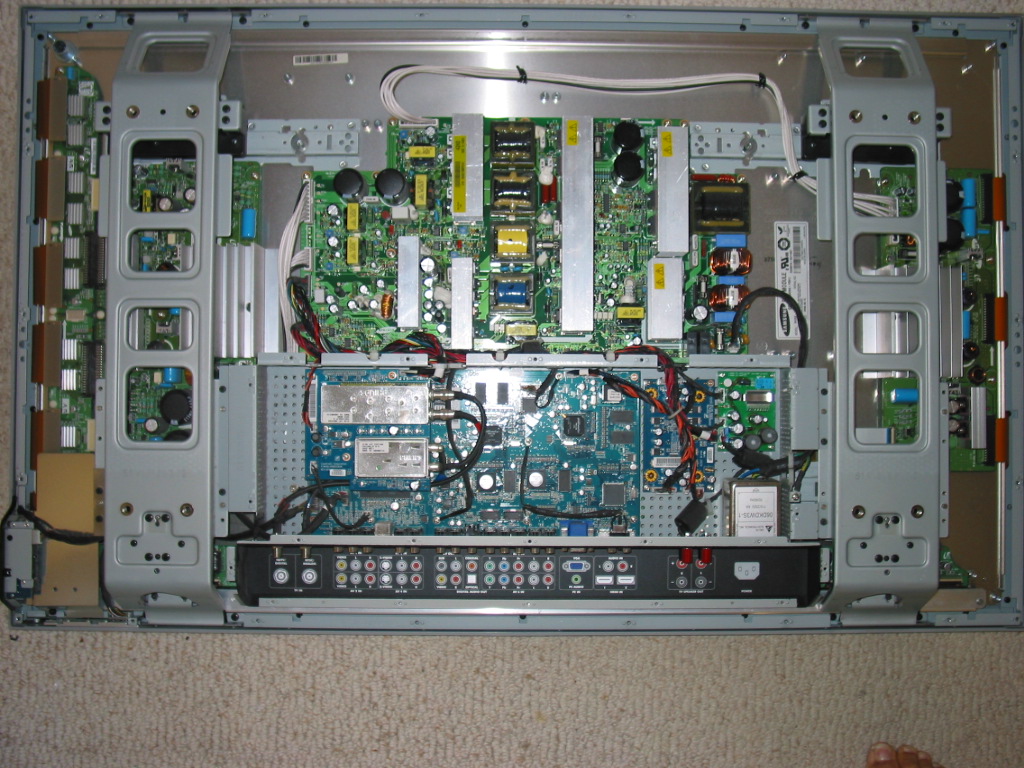
The power board is the large green board with many heat sinks and transformers in the upper half of the TV. You can unplug all connectors (no need to remember which is goes where - can't confuse them) likely except the one in the middle bottom part.
To unplug that one you'll need to carefully unscrew all the bolts holding the board in place and pull the board upwards a bit. I strongly recommend using a magnetic screwdriver so that you don't end up chasing screws around the TV body. This is dangerous and may hurt.
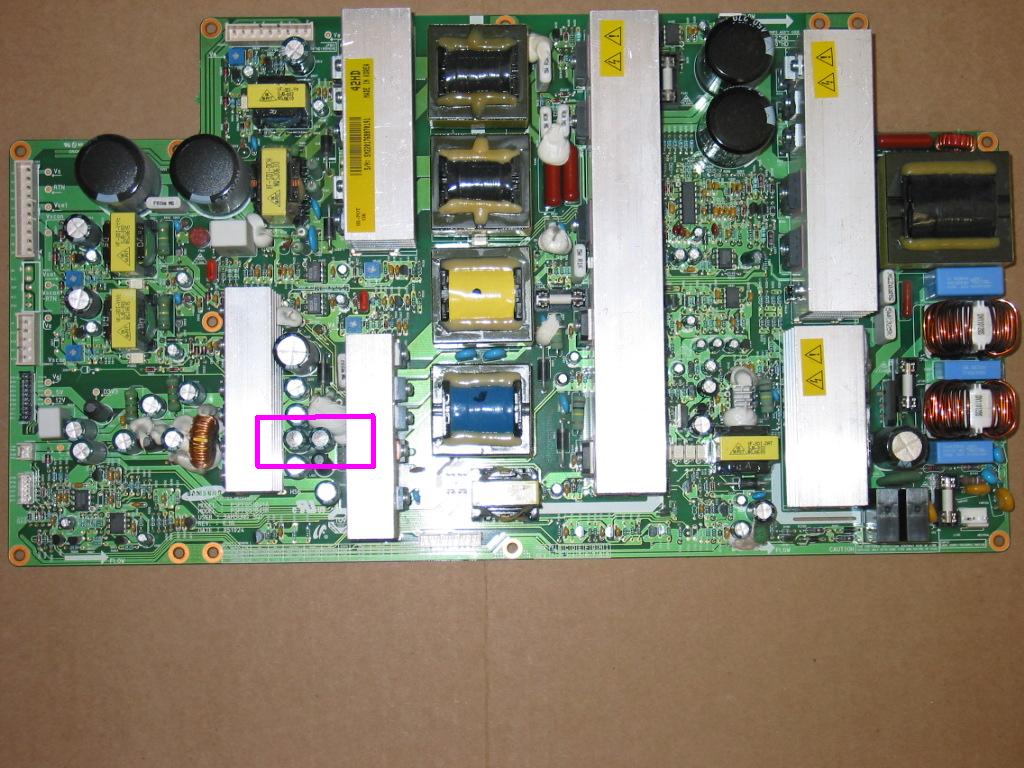
What you're looking for is a pair (or more) of capacitors in the highlighted area that have swollen / bulged tops.
The swollen / bulged capacitors are a common visual, but not ultimate indication of bad caps. If yours aren't bulged they may still be bad and even if they're not we still recommend replacing them because it is only a matter of time before they turn bad unless they have already been replaced with others with higher voltage rating.
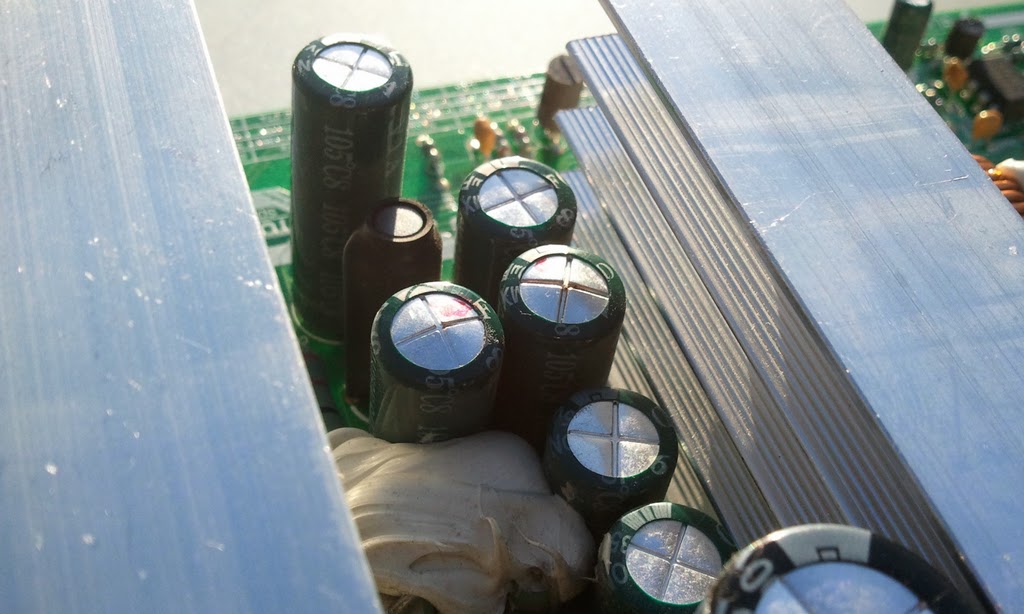
We will not put the information for the caps needed here because we know there are technicians monitoring this blog and copying the ideas and know-how from it. Besides, if you get to there you'll know what you're looking for.
At this point you have several possible options:
1) You can identify and find the replacement capacitors needed by yourself. Make sure you get caps that have same capacity as the original, same or (preferably) higher voltage than the original and same or higher maximal operating temperature (105 degrees should be good).
Be advised that space is tight there and it'll be difficult (and more expensive!) to fit in caps with higher voltage rating simply because they will not fit in place.
2) You can save some time and thank us for writing up this blog by purchasing the capacitors from Coppell TV Repair. They'll be shipped within 1 business day via USPS first class mail.
3) If you think you can't do the replacement yourself you can send us the whole power board and we'll do the replacement for you for a very reasonable flat rate. Contact us for details, the first of which is make sure to package the board very well!


